
Features
Everything a gem laboratory runs on
Six groups of tools, built around how a lab actually works — from the front desk to the buyer holding the certificate.
Front desk & intake
Receive a parcel of stones in under a minute.
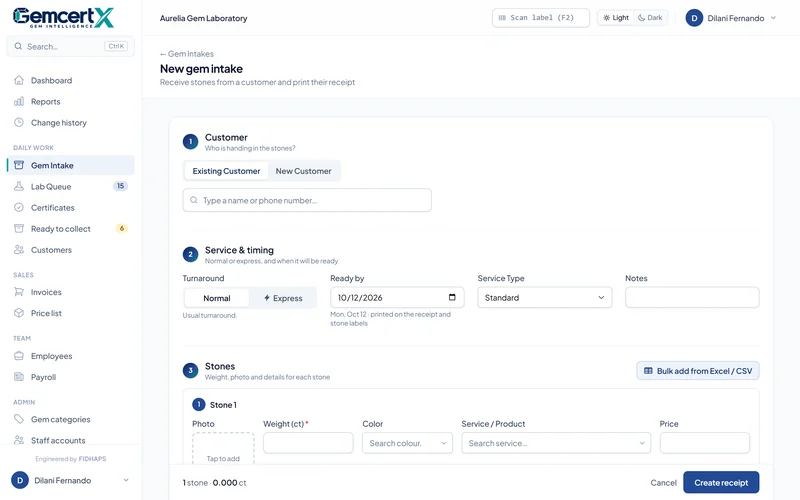
Fast intake
Add the customer (or pick an existing one), then each stone's weight, colour, service and photo.
Bulk import
Paste or upload a list of stones for one customer instead of typing them one by one.
AI photo description
Takes the stone's photo and drafts a short description and colour for the record.
Normal or express
Choose the turnaround; the ready-by date is set automatically, skipping Sundays.
Receipts with QR
A printed receipt the customer keeps, with a QR code to track progress online.
Barcode labels
One label for the parcel and one per stone, on label rolls or A4 sheets.
Lab & certificates
Clear priorities for the lab, professional certificates out the door.
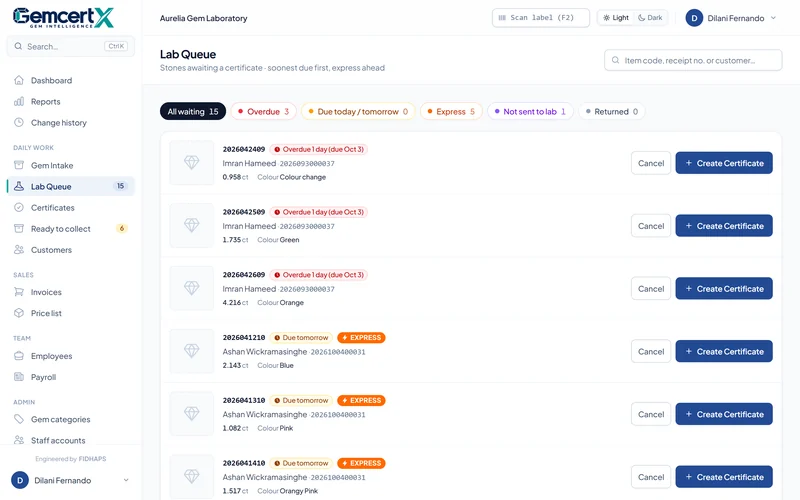
Smart lab queue
Every waiting stone, soonest due first, express jobs ahead; filters for overdue, due today and not yet sent.
Scan to open
Scan a stone's barcode and its certificate form opens — no typing numbers.
Instrument readings
Refractive index, birefringence, optic character, polariscope, UV, Chelsea filter, spectroscope, magnification and advanced tests.
AI identification helper
Suggests the three most likely stones from the readings, with reasons and a confirming test. The gemologist decides.
Copy from previous
Stones in the same parcel share findings; copy them in one click.
Certificates, ID cards, stickers
Full A4 report, wallet ID card in three styles, and parcel sticker — each with a QR code.
Your numbering
Report numbers by year, month, date-time or a plain sequence, with your own prefix.
Cancel and return
Take a stone out of the queue with a reason; see every returned stone in one list; put it back any time.
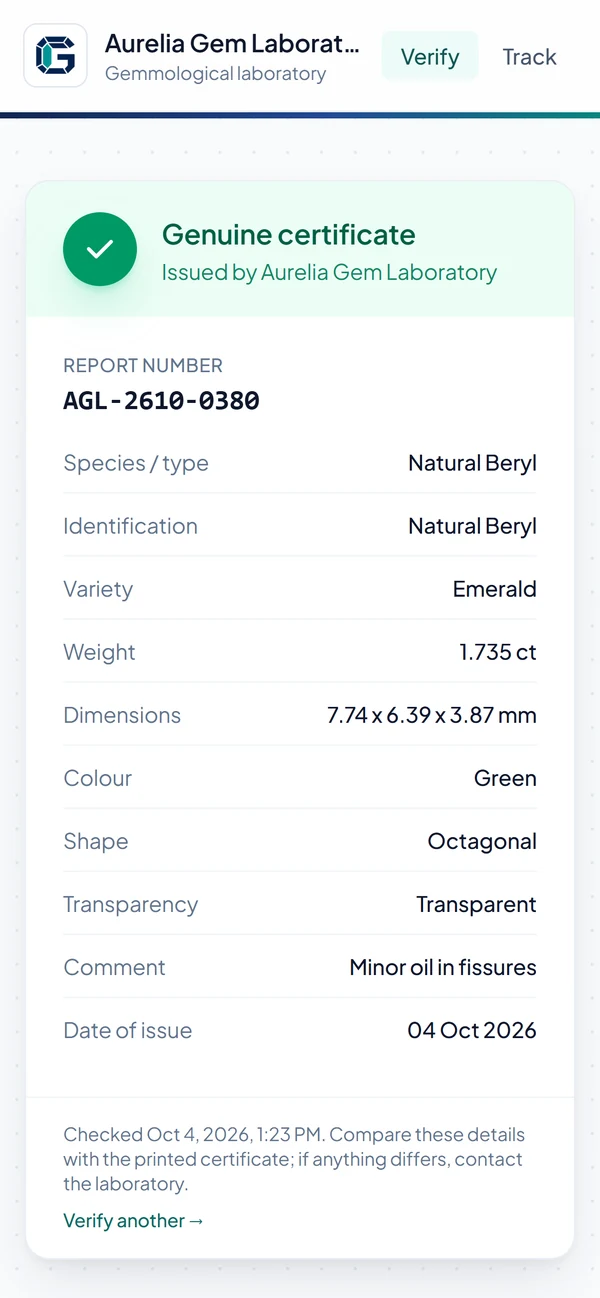
QR verification page
Scanning the certificate shows its details and photo on your own website.
Number + weight check
No QR code to hand? Buyers enter the certificate number and the weight — both must match.
Withdraw a certificate
If a stone is later found treated or a forged copy circulates, the verify page shows "Withdrawn — not valid".
Ownership transfer
When a stone is sold, the certificate moves to the new owner with a full ownership history.
Change history
Who created, edited, printed, transferred or withdrew each certificate, and when.
Website API
Show certificate details on your own website, with a private key.
Customers & communication
Customers always know where their stone is.
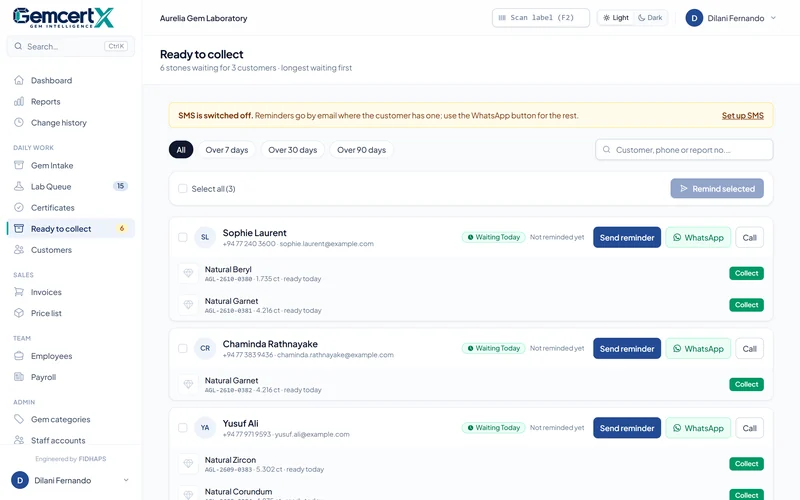
SMS updates
Automatic messages when a parcel goes to the lab and when the certificate is ready. Works with Dialog, Mobitel, Hutch, Airtel, Notify.lk or any SMS API.
WhatsApp messages
Automatic WhatsApp Business messages, with SMS as a fallback.
Ready-to-collect list
Every customer with stones waiting, how long they have waited, and one-click reminders.
Online tracking
Customers enter their receipt number to see progress and the expected ready date.
Customer portal
Customers sign in to see all their certificates and download PDFs.
Self-registration links
Send a one-time link so customers create their own account.
Business
The lab's money and people, in the same system.
Collection & invoicing
Record payment as the customer collects; the invoice is created automatically. Part payments and balances tracked.
Price list
Your services and prices, edited in place.
Reports & dashboard
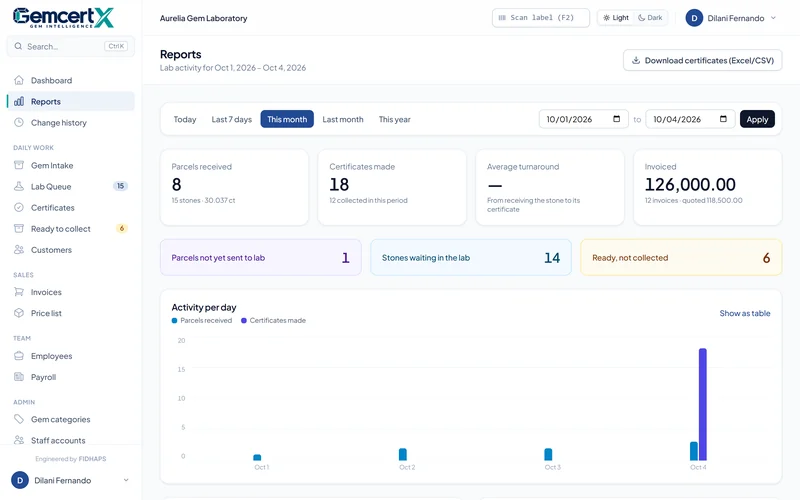
Today's work, overdue stones, certificates per month, gem species, top customers, revenue; export to spreadsheet.
Staff & payroll
Employees, departments, pay periods and payslips — a whole month's payslips in one click.
Roles
Super Admin, Lab Manager, Gemologist and Reception each see only what their job needs.
Locked certificates
Once issued, only a Lab Manager can change a certificate.
Google sign-in
Staff sign in with Google — only for accounts you have approved.
Nightly backups
The whole database every night, photos weekly, optionally emailed off the server.
Your brand
Your lab's name, logo, stamp and colours on every certificate, receipt and customer page.
Barcode-ready, mobile-ready
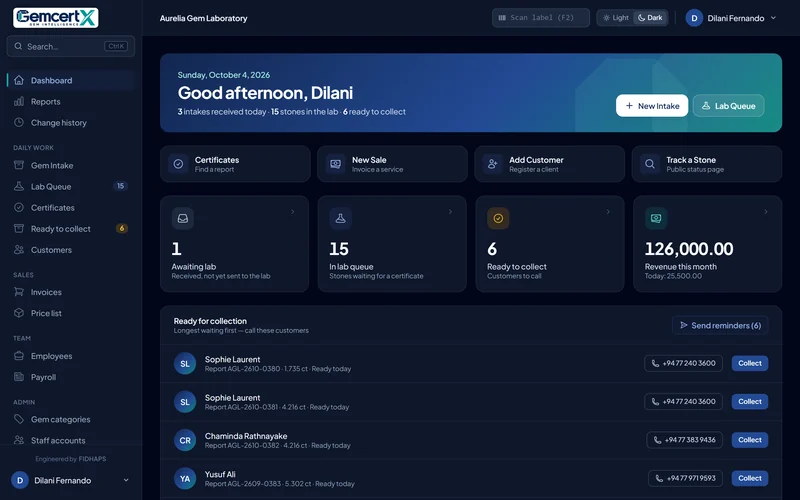
Works on desktop, tablet and phone, with light and dark modes.
Book a demo
Give every certificate the proof it deserves.
See GemcertX running with your own lab's name and logo. We set it up, bring your existing records across, and train your team.